
What “pagination” means in print
Pagination is simply the finished order your pages run in once the job is folded and bound.
The key thing to know: you design in reading order, but the printer produces in imposed order (the pages are rearranged on the sheet so they fold and bind correctly). Your job is to supply artwork in a way that lets the printer impose it cleanly.
The most common mistake
Sending “printer spreads” (where page 8 sits next to page 1, etc.).
For most digital print, you should supply single pages in reading order, unless your printer has specifically asked for spreads.
How to supply files (by job type)
Saddl e-stitched booklets (stapled in the centre fold)
- Total page count must be a multiple of 4 (4, 8, 12, 16…).
- Supply single pages, in reading order.
- If you need 10 pages of content, you actually need a 12-page booklet, with 2 pages left blank (and those blanks should still exist in the PDF as blank pages).
Watch-outs
-
-
-
- Creep: inner pages push out slightly when folded. Keep critical text and logos comfortably inside the trim, especially on inner pages.
-
-
Perfect bound (glued spine)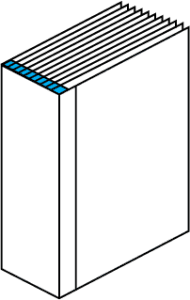
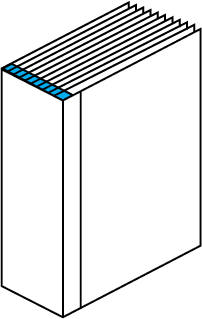
- Usually needs an even number of pages for the text block.
- Allow extra inside margin (binding side) because some of the page disappears into the glue.
- Often supplied as:
- Text block PDF (single pages), plus
- Cover PDF supplied separately (often as a single spread: back cover + spine + front cover), if the cover is a wrap.
Watch-outs
-
-
-
- Don’t run important content tight to the spine.
- Spine width depends on paper choice and page count, so it’s best set once specs are confirmed.
-
-
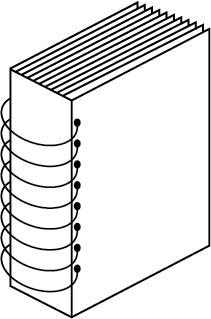
Wire-O, spiral, comb bound
- Supply single pages.
- Leave a clear binding margin on the punched edge (your printer will advise a size, but assume you need a generous clear area).
- If you have full-bleed pages, tell your printer as punching can affect edge finishing.
Spreads: when you should use them
Use spreads when the finished piece is physically a spread:
- A4 folded to A5 (one A4 sheet printed both sides)
- Gatefolds and most folded leaflets
- Covers for perfect bound where the cover is one wrap (back + spine + front)
For multi-page booklets and brochures, assume single pages unless told otherwise.
Crossovers (images running across the centre)
If an image runs across two facing pages:
- Build it as facing pages in your layout tool, but export as single pages.
- Avoid putting faces, small text, or thin lines right on the gutter. What you see on screen is never a perfect join once folded and bound.
Quick artwork checklist for clean pagination

- Pages are the correct final trim size.
- Bleed is included (commonly 3 mm) on any edge that trims.
- Safe margins: keep key text/logos away from trim and binding areas.
- PDF is in reading order, including intentional blank pages.
- File naming is clear:
Brochure_TextBlock_16pp.pdfBrochure_Cover.pdf(if separate)
A simple way to sanity-check your pagination
Make a quick paper dummy:
- Print thumbnails of your pages.
- Fold and staple (or clip) to mimic the binding.
- Flip through and confirm nothing lands where it shouldn’t (especially inside margins and crossovers).